How to Add Service in Google Business Profile: A Complete Step-by-Step Guide
Google Business Profile (GBP), previously known as Google My Business, gives local businesses a powerful platform to showcase their offerings directly on Google Search and Google Maps. A crucial feature within GBP is the Services section, which allows businesses to list the services they offer along with descriptions and pricing.
Introduction
In today’s digital-first world, customers often make decisions based on how much information they can instantly access. When someone searches for a business on Google, they expect to see essential details such as your address, hours, reviews, and—importantly—your list of services.
Learning how to add service in Google Business Profile helps businesses present clear, structured service details that help customers understand what you offer before they even visit your website. This increases conversions, improves search visibility, and builds credibility.
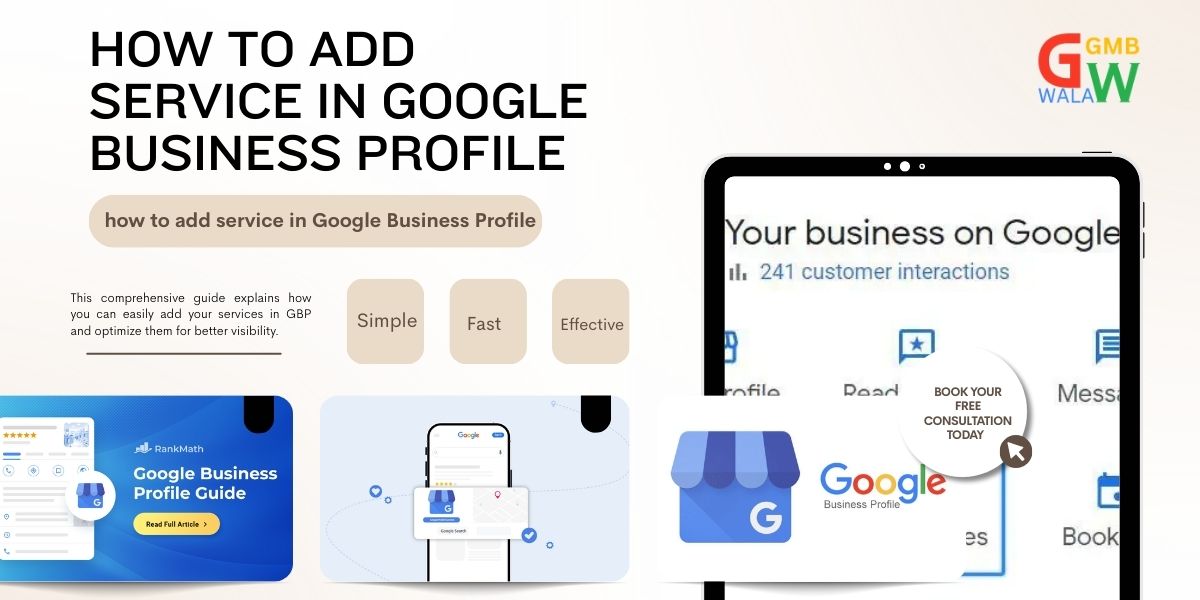
This comprehensive guide explains how you can easily add your services in GBP and optimize them for better visibility.
Why Adding Services in Google Business Profile Is Important
Adding services to your Google Business Profile may seem like a small task, but its impact on customer engagement and business growth is significant.
1. Increases Visibility in Local Search
When you add detailed services, Google can better understand your business offerings. This boosts your visibility for service-based keyword searches near your location.
2. Helps Customers Make Quick Decisions
Accurate service listings save customers time. Instead of calling or visiting your website, they can directly see whether your business offers what they need.
3. Enhances Credibility & Professionalism
A complete Google Business Profile looks far more trustworthy than a half-filled one. Service details show that your business is organized and transparent.
4. Helps You Stand Out From Competitors
Most local competitors fail to optimize their GBP services section. By adding services properly, you gain a competitive edge.
5. Improves Google’s Understanding of Your Business
Google uses structured service data to match your business with relevant local search queries. The better the data, the stronger your ranking potential.
Step-by-Step Process: How to Add Service in Google Business Profile
Learning how to add service in Google Business Profile is a simple process if you follow these correct steps. Below is a detailed breakdown:
Step 1: Sign in to Your Google Business Profile
Go to: https://www.google.com/business/
Log in using the Google account associated with your business.
Step 2: Select Your Business Listing
If you have multiple locations, select the listing where you want to add services.
Step 3: Access the “Edit Profile” Section
On the dashboard, click Edit Profile.
A panel will appear with options like Business Information, Contact, Hours, etc.
Step 4: Navigate to the “Services” Tab
Click on Services from the left or central navigation.
Here you’ll see the categories associated with your business.
Step 5: Add a New Service Under a Category
Select a service category (e.g., Digital Marketing, Plumbing, Beauty Services).
Click Add Service.
Enter your service name.
Optionally add:
- Price (fixed, range, or free)
- Service description
- Additional details
Pro Tips When Adding Services
Write clear and customer-friendly service names.
Add concise descriptions that highlight benefits.
Avoid keyword stuffing—stay natural and readable.
Step 6: Save Your Services
Once you finish adding all the services, click Save.
Your services may take a few minutes to appear publicly.
Step 7: Review Your Listing on Google Search
Simply search your business name on Google to confirm that your services are visible under “Services” or “Menu” (depending on the business type).
Common Problems & How to Fix Them
While adding services is simple, some users encounter issues. Here are the most common problems and solutions:
1. Services Not Showing on Google
Possible Causes
Google review pending
Your business category does not support service listings
You added services but did not click “Save”
Google flagged your service wording
Solution
- Wait 24–48 hours for Google to update
- Check if your primary category is correct
- Re-edit the service and use clear, compliant language
2. Unable to Add a New Service Category
Some categories (example: “Shopping Mall”) do not support service listings.
Solution
Change your secondary or primary category to something that allows services
e.g., “Beauty Salon,” “Marketing Agency,” “Plumber”
3. Duplicate Services Appearing
Sometimes Google auto-generates services based on your website.
Solution
Manually review and delete duplicates
Keep the service names consistent across your website and GBP
4. Services Keep Getting Removed
Google may remove services that violate policies.
Solution
Follow these rules:
- Do not add promotional words (50% off, best service, etc.)
- Avoid overuse of keywords
- Use factual, non-misleading descriptions
5. No Option to Add Pricing
Some business categories don’t support pricing fields.
Solution
How to Add Service in Google Business Profile You can still add service description and discuss pricing there.
Tips for Faster & Better Service Addition in Google Business Profile
If you want to optimize your service list quickly and make it more effective, follow these expert tips.
1. Keep Service Names Simple
Use clear and straightforward titles:
- Air Conditioning Repair
- Website Development
- Haircut & Styling
Avoid long, keyword-stuffed names.
2. Add High-Quality Service Descriptions
A good description may include How to Add Service in Google Business Profile:
- What the service includes
- Expected benefits
- Any special features
- Duration or pricing details
Ideal length: 150–200 characters
3. Use Accurate Categories
Google displays services based on categories. Using the right category helps your services appear for relevant searches.
4. Regularly Update Your Services
Add new services and remove outdated ones. Google rewards actively updated profiles.
5. Add Pricing When Possible
Customers appreciate transparent pricing. If you cannot add exact prices, use ranges.
6. Match Services With Your Website
Ensuring consistency helps Google understand your offerings and boosts SEO.
7. Use Professional Wording
Avoid slang, all caps, or overly promotional text.
FAQ: How to Add Service in Google Business Profile
Below are the most common questions about adding services to GBP.
1. Why are my services not appearing on Google?
It may take up to 48 hours for services to get reviewed and published. Ensure your category allows service listings.
2. Can I add custom services?
Yes. Google allows you to add services that are not pre-listed in their database.
3. Can customers book services directly from my Google Profile?
Yes, if you integrate a booking partner or use Google’s built-in booking features.
4. How many services can I add?
There is no strict limit. However, keep services relevant and avoid unnecessary or duplicated entries.
5. Is adding service descriptions mandatory?
No, but descriptions significantly improve customer understanding and SEO.
6. Can I edit or delete services later?
Absolutely. You can edit, update, or remove services anytime via your GBP dashboard.
7. Does adding services improve ranking?
Indirectly, yes. More complete business profiles tend to perform better in local search.
Final Conclusion
Knowing how to add service in Google Business Profile is essential for any local business that wants to grow online visibility and improve customer interaction. A well-optimized services list not only helps customers find the exact offerings they need but also enhances your credibility and boosts your Google search ranking.
By following the steps above—signing in, selecting your business listing, navigating to the services section, adding service details, and saving your changes—you can quickly build a professional, informative profile.
Regular updates, clear descriptions, category accuracy, and attention to detail will ensure your services stand out in local search results.
If you want your business to attract more customers and stay competitive, adding and optimizing your services in Google Business Profile is a crucial step you cannot afford to ignore.