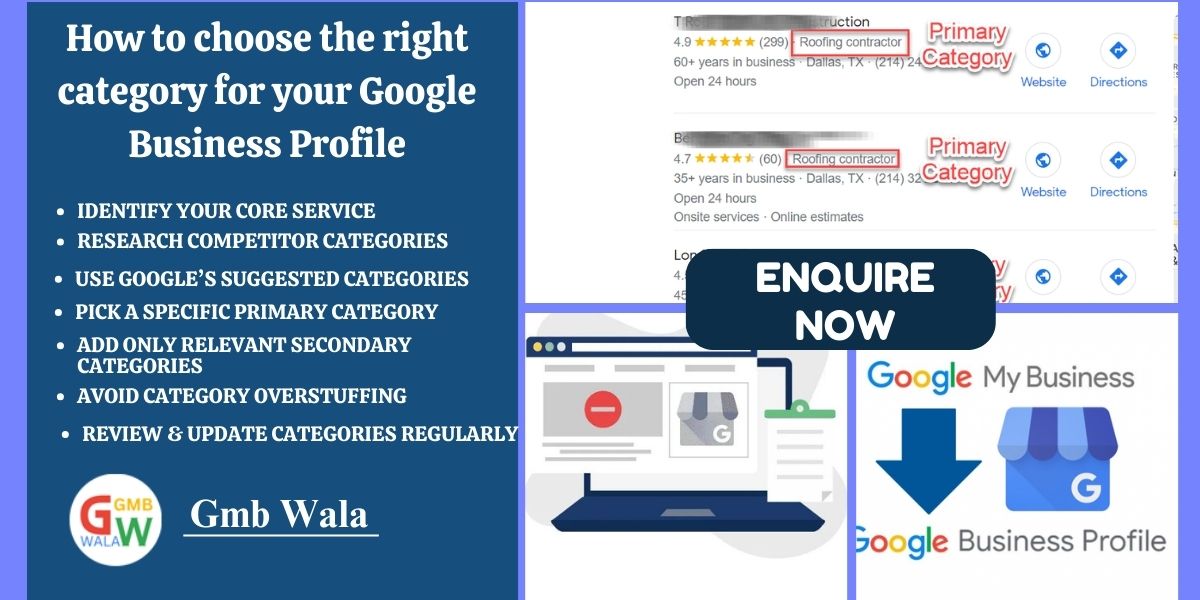
Choosing the correct category for your Google Business Profile (GBP) is one of the most important steps in optimizing your online presence. The right category helps Google understand your business, improves your local search ranking, and ensures that potential customers can find you easily. In this comprehensive guide, we’ll walk you through how to How to choose the right category for your GBP, why it matters, common problems to avoid, helpful tips, and a step-by-step process you can follow today.
Introduction
Your Google Business Profile is often the first impression customers have of your company. Whether someone is searching for a “plumber near me” or “best Italian restaurant,” Google uses your category to determine when to display your business in search results.
This means that selecting the right category is not just a simple setup step—it directly affects your visibility, ranking, and customer engagement. In this article, you’ll learn how to choose the right category for your Google Business Profile effectively and strategically so that your business stands out in local search.
How to choose the right category for your GBP And Why Choosing the Right Category Matters
1. Improves Local SEO Ranking
Google relies heavily on categories to understand what your business does. An accurate and specific category increases the chances of appearing in relevant local searches.
2. Helps Customers Find You Faster
If someone searches for the service you offer, the correct category ensures your business shows up in the right search results. A wrong category may lead to missed opportunities.
3. Enables More Accurate Features
Categories determine what features and attributes your business can display.
For example:
Service businesses can list service areas.
Restaurants can add menus.
Hotels can display amenities.
4. Reduces Confusion Among Potential Customers
Picking the wrong category can mislead customers about what you do, leading to negative experiences or lost trust.
By understanding how to choose the right category for your Google Business Profile, you ensure your business is properly represented online.
Step-by-Step Process:
How to choose the right category for your GBP
Step 1: Identify Your Primary Business Offering
Ask yourself:
- What is the core service or product my business provides?
- What do customers search for when they want my service?
Your primary category should reflect your main offering—not the secondary ones.
Step 2: Search for Your Competitors
Look up your top competitors on Google.
Check:
- Their primary category
- Their secondary categories
- Services linked to their categories
This helps you align your profile with the market and understand what Google already associates with similar businesses.
Step 3: Use Google’s Category Suggestions
When adding a category in GBP, Google provides auto-suggestions.
Type keywords related to your business and explore the variations. Sometimes a more specific category can boost your ranking.
Example:
- “Repair shop” vs. “Mobile phone repair shop”
- “Restaurant” vs. “Italian restaurant”
The more precise you are, the better.
Step 4: Choose a Specific Primary Category
How to choose the right category for your GBP, Always choose the most specific option for your primary category.
Specific categories perform better in local searches.
Step 5: Add Relevant Secondary Categories
How to choose the right category for your GBP, Google allows multiple secondary categories. These should describe additional services your business provides.
Tips for secondary categories:
- Do not overstuff categories
- Only choose relevant options
- Avoid categories unrelated to your main service
Step 6: Keep Your Categories Updated
Your business might expand or shift focus. Periodically review your categories to ensure they still reflect your core offerings.
Common Problems and Solutions When Choosing a Category
Problem 1: Choosing Too Broad a Category
Solution:
Pick the most specific category available. Google rewards precise classifications.
Problem 2: Adding Too Many Secondary Categories
Solution:
Stick to 3–5 categories maximum. Overloading your profile can confuse Google and weaken your primary focus.
Problem 3: Selecting Categories Based on What You Want to Rank For
Some businesses pick aspirational categories rather than what they truly offer.
Solution:
Choose categories based on actual services, not marketing goals.
Problem 4: Picking Categories That Mislead Customers
How to choose the right category for your GBP, Wrong categories cause irrelevant inquiries and poor customer experiences.
Solution:
Double-check your profile from the perspective of a customer searching online.
Problem 5: Not Reviewing Categories Over Time
Businesses evolve, but profiles stay outdated.
Solution:
Review your categories every 6–12 months or when services change.
Tips for Choosing the Right Category or How to choose the right category for your GBP
1. Analyze High-Ranking Competitors
Study the category structure of businesses dominating the Google Map Pack in your industry.
2. Prioritize Accuracy Over Keywords
Categories are not keywords—choose options that truly represent your business.
3. Use Google’s Suggested Services
After selecting categories, Google will suggest related services. Add the ones that fit your business; they help boost relevance.
4. Avoid Category Stuffing
Adding every possible category will hurt, not help your ranking.
5. Choose a Category That Describes What You Are, Not What You Sell
For example:
- A “jewelry store” sells jewelry
- A “jewelry designer” creates custom pieces
Choose the category that best matches your business type.
6. Re-evaluate Anytime Your Business Changes
If you add new services or shift focus, update your categories promptly.
7. Ensure NAP Consistency
Your Name, Address, Phone number (NAP) should align with your chosen categories to reinforce credibility.
FAQ: Choosing the Right Google Business Profile Category
1. How many categories can I choose for my Google Business Profile?
Google allows one primary category and multiple secondary categories. Choose only those that accurately reflect your services.
2. How often should I update my categories?
Review every 6–12 months, or anytime your business changes its core services.
3. Does changing my category affect my ranking?
Yes, it can. A more accurate category can improve ranking, while an irrelevant one can hurt it.
4. Should my primary category match my competitors’?
Not necessarily. It should match your main service. However, checking competitor categories helps you choose smarter options.
5. Can I appear for multiple types of searches with one category?
Yes. Google often associates similar queries with specific categories, but adding relevant secondary categories helps expand your visibility.
6. How specific should my category be?
The more specific, the better. Specific categories improve relevance and ranking.
7. If my business offers multiple services, which should be the primary category?
Choose the service representing your main revenue stream or the one you want to be known for most.
Final Conclusion
Knowing how to choose the right category for your Google Business Profile is essential for improving local visibility, increasing customer trust, and boosting your search rankings. The right category helps Google understand your business, match you with relevant search intent, and give potential customers the information they need.
By following the step-by-step process, avoiding common mistakes, and reviewing your categories regularly, you can ensure your GBP is fully optimized. Remember, accuracy and specificity are key—choose categories based on what your business truly does, not just what you want to rank for.
A well-optimized category setup can make the difference between being buried in search results and appearing at the top of Google’s local listings. Take your time, review competitors, and refine your categories strategically to get the best results.
If you’d like, I can help you craft category suggestions tailored to your specific business—just let me know what you do!